 jquads-vision
Blog · 28 November 2026 · José Luis Cuadros · Leer en español
Teaching a phone to read a chess game
When you play online, every game is saved: afterwards you can replay it, see where it turned and learn from it. But you lose the best part of chess — sitting in front of another person, going out to play, the people you meet. When I play in Madrid's Retiro Park I have all of that, and the game is gone the moment we shake hands.
I wanted both worlds: play face to face and keep the game as if I had played it online. This is the story, in short, of what it took to get there.
Where it started: the Retiro
I play at the chess hut in Madrid's Retiro Park (here), looked after by the association Amigos del Retiro.
Under its trees, people who have never met sit down at a board and play. Some games are quick, some last all afternoon, and many end with an analysis on the spot, with everyone remembering the moves differently. That is the game I wanted to keep.
Everything on your phone, from day one
There was one thing I was sure of from the very beginning: nothing would ever leave the phone. No video, no pictures, no data sent to any server. Every frame is read, every move decided, and every game saved on your own phone. It works with no connection at all — in the middle of a park, if you like.
That was my choice, and it made everything harder. The networks had to be small and fast enough to run on a phone, live, while you play, instead of on a big computer somewhere else. Much of the work you will read about below comes from keeping that promise.
There was no data, so I made my own
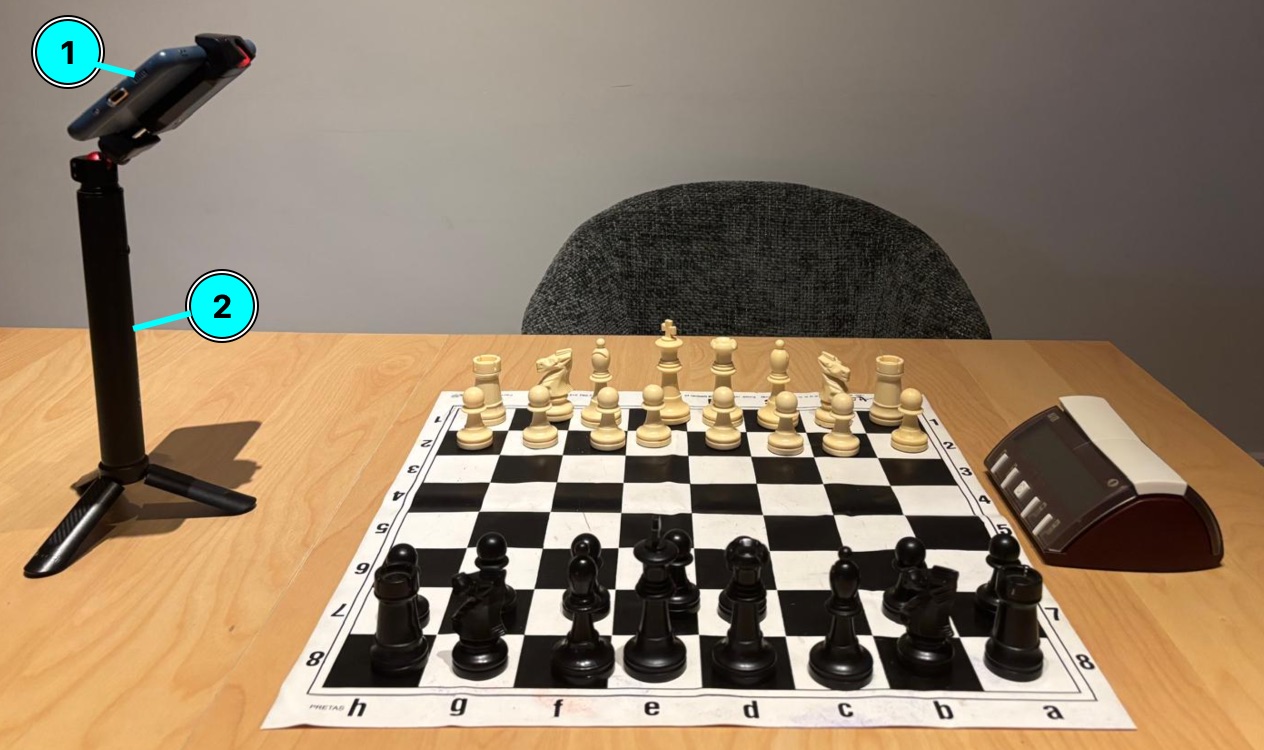
A program learns to read a board from examples: thousands of pictures, each with the right answer. The pictures I found were not what I needed. Most were neat photos of a board seen from above, with no hands and no movement, and the best collection could not be used to train an app like this one. A real game is different: a phone at the side of the table, hands crossing the board, shadows, pieces leaning, every board and every set different.
So I recorded my own games.
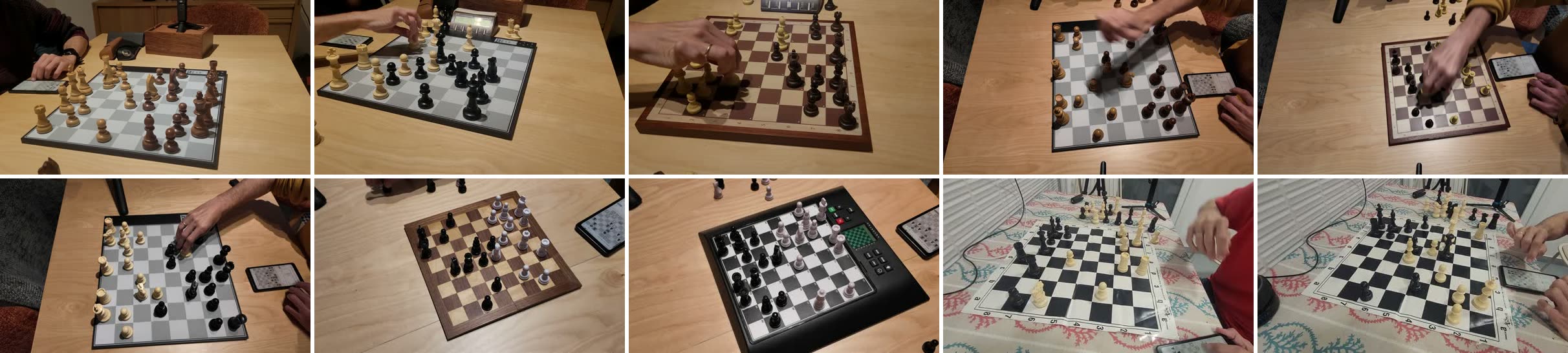
For every video I marked the board's corners, matched each picture to the position on the board at that moment, and then went through all of them, one by one: a picture where a hand covers a square cannot teach the network what is on that square, and one wrong label teaches it the wrong thing. It was slow, careful work, and it is what made the difference.
From a laptop to a better computer
At first I trained the networks on my MacBook Neo — doing it all on my own laptop was a personal challenge. With only part of the network trainable, I leaned on Maia, a wonderful project that predicts the moves a human would play, to fill the gaps when the picture was unclear. That system already gave quite good results.
Then, thanks to my friend Jorge — someone I met playing chess in the Retiro at least 25 years ago — I got access to a better computer and could train every layer of the network. Above all, I generated many more training pictures and solved problems such as the small movements of the camera and the board during a game. In the end the board reading was good enough on its own, and I decided to stop using Maia here — though it is a project I love, and it lives on in my other app, jquads, which shows the move a human of your level would play (App Store · Google Play).
How the app reads a game
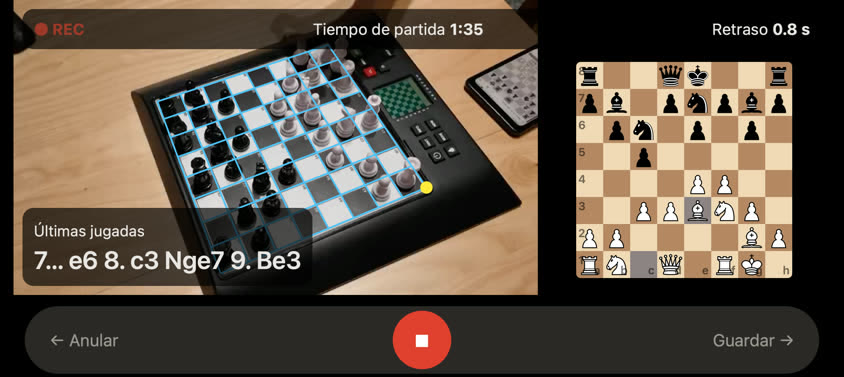
- Find the board. A neural network finds the board's four corners, so the app can lay a grid over the 64 squares.
- Read the squares. A second network says what is on each square: empty, or which piece. Both start from DINOv2, a vision model by Meta AI, which I fine-tuned on my games.
- Turn readings into moves. No single picture is trusted. The app keeps several possible games at once and picks the one that is legal chess and best agrees with everything it has seen. A move is written only when it is sure. And from the start I wanted it ready for something that happens in real games: a move taken back. If a piece returns to where it was, the app undoes that move instead of getting lost.
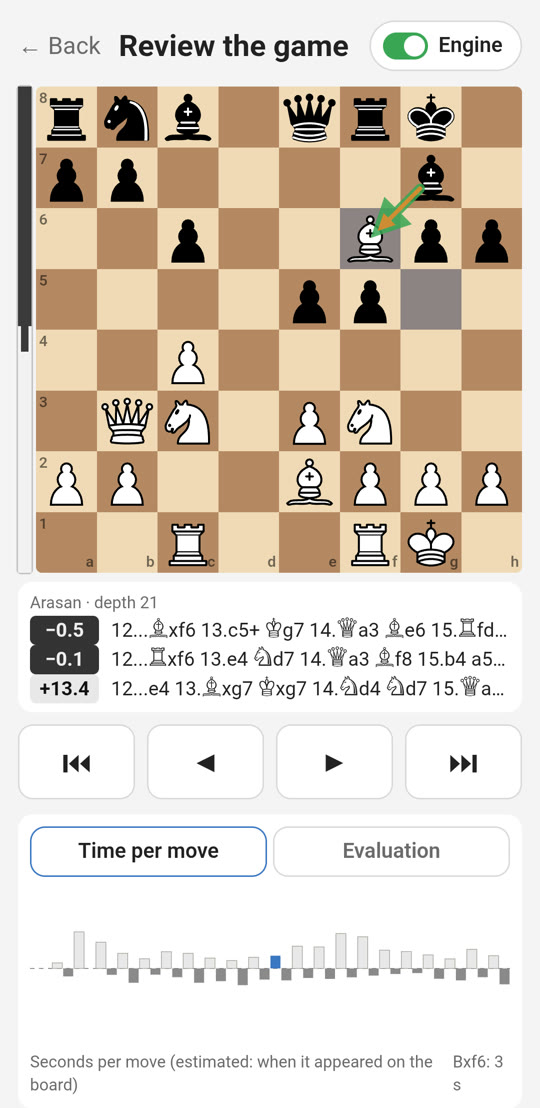
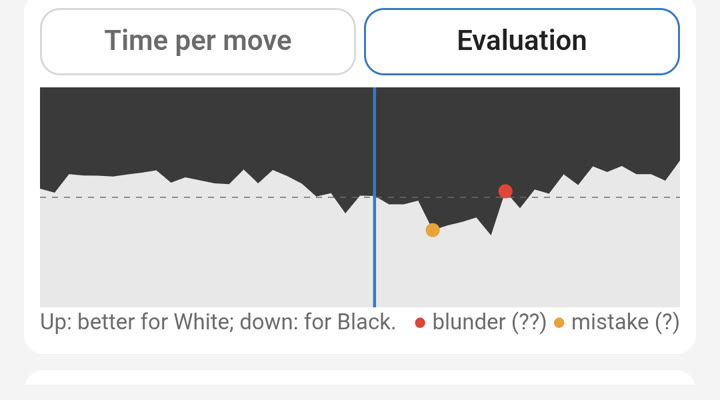
- Analyse. At the end, a chess engine inside the app (Arasan) evaluates every move.
Making it work on ordinary phones
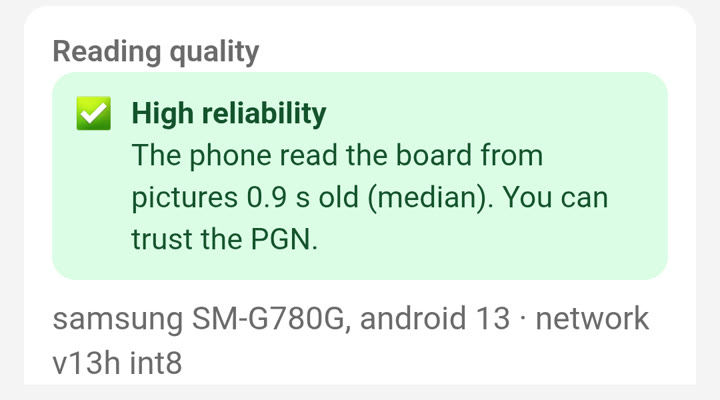
Because everything runs on the phone, the phone's speed matters. An iPhone 15 (2023) reads a board in a tenth of a second; a Pocophone F1 (2018) needs three. I tested every change on three phones with my real games, again and again. The app now always reads the newest picture and skips pictures where nothing changed, so slower phones keep up instead of falling behind — and every game says how reliable its reading was, so you know when to check it.
The result
I have tested it on dozens of games. With the final version, on an iPhone 15 (2023) and a Samsung Galaxy S20 FE (2020):
It should work well on any mid-range phone or better. It even gives good results on much older phones: I tested it on a Pocophone F1 (2018), where most games come out right — and when the phone is too slow to be sure, the app says so.
Free, always
I made jquads-vision for myself, to keep the games I play. It is free, and it will always be free: anyone who enjoys it can use it.
What is next
Version 1.0 is about to reach the App Store and Google Play. Next I would like to broadcast games live while they are being played, and one day to share the dataset, so others can build on it. In the coming articles I will go deeper into each part: the dataset, the networks, the decoding and the fight for speed.
The app today
Three screens from a Samsung Galaxy S20 FE (2020), reviewing one of my live games recorded today:
Interested in the project? Do not hesitate to contact me: jquads.support@gmail.com.